
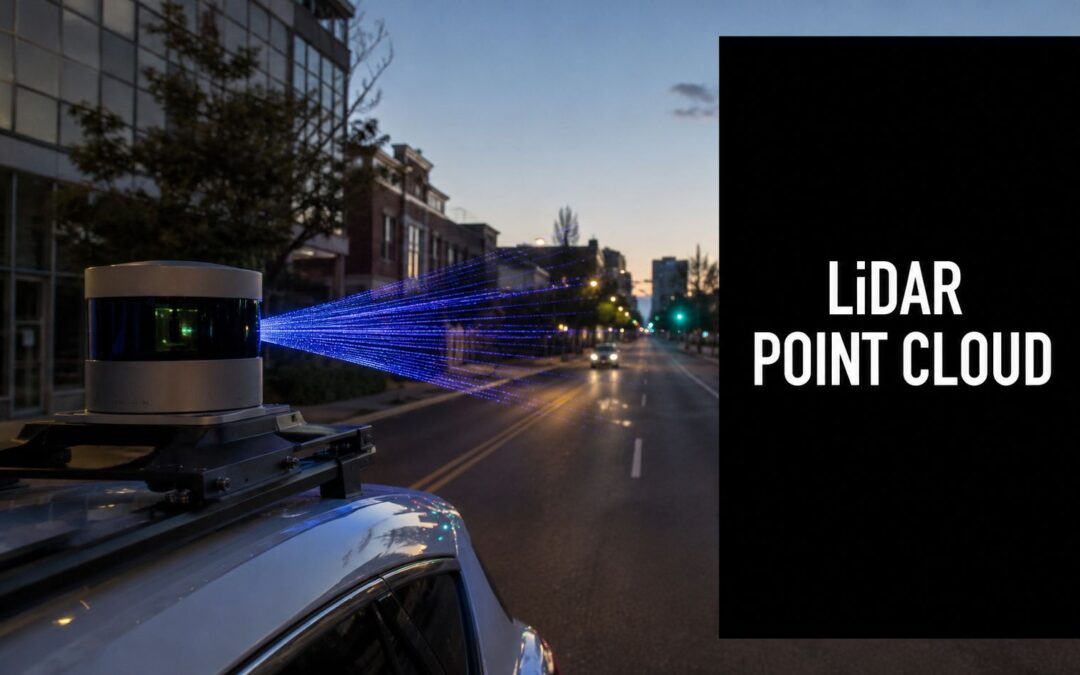
You're probably staring at a directory full of LiDAR captures, a stack of calibration files, and a model plan that looked clean on a whiteboard but already feels messy in practice. The first surprise for most new ML engineers is that a 3D LiDAR point cloud isn't hard because it's exotic. It's hard because every downstream decision depends on details that look minor at ingest time.
On an autonomous vehicle team, LiDAR becomes useful only when the whole pipeline holds together. Sensor physics, timestamps, coordinate frames, filtering, registration, annotation policy, projection strategy, and geometry estimation all interact. If one stage is loose, the model doesn't just get noisier. It learns the wrong thing.
Most explainers stop at “LiDAR creates 3D points.” That's not enough for production. The work that matters usually starts after capture, especially when you need to preserve small objects in 2D projection pipelines and estimate surfaces from incomplete urban scans without inventing geometry that isn't really there.
What Is a 3D LiDAR Point Cloud
A vehicle rolls into a dense city block. A bus is pulling out. A cyclist appears between parked cars. Tree canopies partially hide a signpost. Camera frames help, but the autonomy stack also needs direct spatial structure. That's where a 3D LiDAR point cloud earns its place.
A point cloud is a digital 3D sampling of the world. Each point marks a measured location in space, and together those points trace roads, curbs, facades, poles, vehicles, vegetation, and pedestrians. In practice, you can think of it as a sparse but geometrically faithful surface representation that the perception stack can query.
Why ML teams rely on point clouds
Three properties matter most in production.
- Direct geometry: LiDAR gives you distance and shape explicitly, not as an inferred byproduct of image cues.
- Stable spatial context: Lane edges, vertical structures, and object extent are easier to reason about when depth is built into the sensor output.
- Operational usefulness: Planning, obstacle detection, free-space estimation, HD mapping, and scene reconstruction all benefit from a representation grounded in 3D coordinates.
For a new engineer, the key mindset shift is this. A point cloud isn't just another sensor modality to “add later.” It often acts as the spatial backbone that other signals attach to.
Why the sensor architecture matters
Not all LiDAR systems collect the world the same way. Scan pattern, angular resolution, field coverage, and motion sensitivity affect what your models will later see in annotation and training. If you need a quick systems-level overview before going deeper into data handling, this technical guide to solid state LiDARs is useful because it frames how hardware choices influence the structure of the data you inherit.
Practical rule: Treat the point cloud as a measurement system first and a training asset second. If the measurement assumptions are wrong, no amount of model tuning fixes that.
How LiDAR Sensors Generate Point Clouds
A new LiDAR sensor can look healthy in a bench test and still fail you on the road. The failure usually shows up later. A pedestrian at long range turns into a few weak returns. A curb edge gets smeared during motion. A building facade that should be planar comes back sparse, noisy, and incomplete. That is why point cloud generation matters to ML engineers. The sensor is already shaping what your model can and cannot learn.

What actually happens during capture
LiDAR measures distance from the travel time of emitted light pulses. Each pulse leaves the transmitter, hits one or more surfaces, and returns energy to the receiver. The system then combines that range measurement with the beam direction and the platform pose to place a point in 3D space.
On paper, that sounds straightforward. In production, each step adds failure modes.
- Pulse emission: Beam divergence, wavelength, and scan pattern affect what the sensor can resolve.
- Surface interaction: Dark paint, glass, wet roads, foliage, and grazing angles all change return quality.
- Return detection: The receiver has to separate useful signal from noise and competing reflections.
- Range estimation: Timing errors and weak returns introduce depth uncertainty.
- Beam direction mapping: The sensor needs accurate azimuth and elevation for every shot.
- Pose fusion: IMU, GNSS, and vehicle motion determine whether points line up cleanly or blur across frames.
For autonomous driving, pose fusion is where many clean lab assumptions break. If timing between LiDAR and ego pose is off, static poles can look doubled and road edges can shift enough to poison labels and downstream training.
A point usually carries more than XYZ
A usable point cloud stores geometry plus measurement context. Depending on the sensor and export path, each point may include intensity, timestamp, ring or channel ID, return number, and sometimes color. Those fields are not bookkeeping. They often decide whether preprocessing can separate road, curb, vegetation, facade, and vehicle surfaces with acceptable error.
I have seen teams lose useful signal by converting early to a stripped-down XYZ-only format. That makes later debugging harder. You can no longer tell whether a thin object disappeared because of projection, weak reflectance, occlusion, or a bad export script.
A curb next to a bright lane marking is a good example. Height alone may not separate them cleanly in a small neighborhood. Intensity, return structure, and scan geometry often provide the extra evidence.
Why generation details matter for deep learning
The first production challenge that gets ignored in many explainers is small object preservation during 2D projection. Once a 3D cloud is rasterized into a range image or bird's-eye-view grid, point density and angular spacing start deciding what survives. Cones, debris, signposts, and stroller wheels are easy to erase if the sensor undersamples them or if multiple returns collapse into one cell. The model then gets blamed for missing objects that the representation already discarded.
The second challenge is surface estimation in messy urban scenes. Real city scans are incomplete. Parked cars block facades. Trees break up rooflines. Glass and shiny metal produce unstable returns. If the raw cloud is noisy and sparse, plane fitting and meshing can drift toward the wrong geometry. That shows up later in map building, free-space estimation, and any feature pipeline that assumes surfaces are locally smooth.
This is one reason collection discipline matters. Teams that run repeatable capture programs pay close attention to route design, overlap, synchronization, and handoff standards before annotation starts. If you are setting up that operational side, this overview of data collection services for sensor programs is a useful reference point.
For onboarding, it also helps to sanity-check the physics visually. This short walkthrough is useful for onboarding:
Many model failures that look like architecture problems start earlier, in how the sensor sampled the scene and how the pipeline preserved or discarded that information.
Understanding Point Cloud Data Formats
A bad format decision usually shows up late, after the data has already moved through ingestion, labeling, and model training. By then, changing it is expensive. Storage format affects more than disk usage. It determines which point attributes survive export, how reliably timestamps and poses stay attached, and whether another team can open the file without writing a converter first.
Coordinate handling causes just as many failures. Raw LiDAR often starts in a sensor frame, while fusion, mapping, and annotation may happen in a vehicle or global frame. I have seen engineers chase “registration drift” for days when the actual issue was a quiet frame mismatch or a transform applied twice.
Why format choice matters
For production work, the common formats are LAS, LAZ, E57, and sometimes PCD. They can all store 3D points, but they are not interchangeable in practice.
What matters is the payload around the XYZ coordinates. A usable file often needs intensity, return number, timestamp, ring or channel ID, classification flags, and pose-related metadata. If your export step strips those fields, later stages get harder fast. Small-object recovery during projection is a good example. If you want to preserve thin structures or sparse pedestrian points in a range image or bird's-eye-view raster, per-point timing and beam information can help explain why coverage looks uneven. Lose that context, and the projection problem becomes harder to debug.
Common 3D Point Cloud File Format Comparison
| Format | Primary Use Case | Compression | Key Feature |
|---|---|---|---|
| LAS | Standard LiDAR exchange and processing | None by default | Widely supported, structured point attributes |
| LAZ | Large-scale LiDAR storage and transfer | Compressed LAS | Reduces storage burden while preserving LAS attributes |
| E57 | Vendor-neutral interoperability across scan ecosystems | Varies by implementation | Strong interchange format for mixed tools and scanners |
| PCD | Robotics and ROS-centered workflows | Implementation dependent | Common in point cloud research and robotics stacks |
What works in practice
For most AV pipelines, LAZ is the default choice for storage and transfer because it cuts file size without forcing you to drop standard LAS attributes. LAS still matters because many geospatial and labeling tools expect it directly. E57 is useful when data comes from mixed scanner ecosystems or surveying workflows, especially when you need a cleaner interchange format across vendors. PCD fits best inside ROS and research tooling, not as the long-term source of truth for a multi-team production dataset.
There is a trade-off here. A format that is easy for one toolchain can be awkward for another. Before locking in a standard, test the full path: ingest, visualization, annotation, training export, and any map-building or surface-fitting jobs. Urban surface estimation is sensitive to missing normals, broken timestamps, or quantization artifacts. If the file conversion step changes precision or drops fields used for neighborhood analysis, plane fitting and meshing can drift on already noisy, incomplete scans.
Coordinate systems break more pipelines than file extensions
The format itself will not protect you from bad frames. Keep three references straight:
- Sensor frame: points relative to the LiDAR body
- Vehicle frame: points relative to the platform
- Map or global frame: points aligned across drives, sessions, or geospatial layers
A label can be visually correct in one frame and still be wrong for training after reprojection. That bug is subtle because every intermediate output can look reasonable on its own.
The practical fix is boring and effective. Store transforms with the data, version them, and validate them with simple checks before large exports. Open a few scenes and verify curb lines, poles, and parked vehicles after every major conversion. Teams trying to improve LiDAR measurement accuracy usually focus on the sensor first, but file handling and coordinate discipline affect downstream accuracy just as much.
Common Point Cloud Quality Challenges
A clean demo scan can hide how ugly field data gets. Drive a mapping vehicle through a city corridor and you'll see the same three failure modes over and over: noise, occlusion, and variable density. They sound like generic data quality terms, but each one breaks algorithms in a different way.

Noise is rarely random enough to ignore
Noise shows up as stray points, unstable surface patches, or local spikes. Reflective surfaces, awkward incidence angles, atmospheric interference, and motion artifacts can all contribute. In urban scenes, noise is especially dangerous because it often appears near the same object boundaries your model needs to learn.
A detector might survive isolated outliers. Surface estimation and fine-grained segmentation usually won't.
Occlusion creates confident blind spots
A single delivery truck can block a storefront, sidewalk edge, and half a parked car behind it. Tree canopies do the same thing vertically. The point cloud looks complete at a glance, but there are real gaps in the geometry because the laser never saw behind the first visible surface.
That matters in annotation and training. If your labeling policy doesn't distinguish “not present” from “not observable,” your model will absorb inconsistency as if it were ground truth.
Some of the hardest errors in LiDAR perception come from missing structure, not incorrect structure.
Density changes what the model can even perceive
Point spacing varies with collection design and scene geometry. Near-field surfaces usually look rich and continuous. Farther objects become sparse, and thin objects can fragment. For mapping-grade mobile LiDAR, a dataset targeting accuracy level 1 is described as requiring 5.0 cm 3D network accuracy at 95% confidence with at least 100 points/m², while level 2 relaxes that to 20 cm and 30 points/m², as specified in this mobile LiDAR accuracy and point density guidance. In practice, that means object detectability and surface continuity depend heavily on how the data was collected.
If you want a useful companion read on field-side issues that affect capture quality, this piece on how to improve LiDAR measurement accuracy helps frame the operational side of the problem.
What these failures do to downstream tasks
- Object detection suffers when sparse returns erase object extent.
- Ground modeling gets unstable when occlusion and density changes create holes.
- Segmentation quality drops when noise collects around edges and small structures.
- Mapping workflows slow down because humans spend more time deciding what the sensor saw.
Essential Preprocessing and Cleaning Workflows
Raw LiDAR almost never goes straight into annotation or training. It needs cleanup, alignment, and simplification first. This is not optional. It's the difference between training on a measured scene and training on a corrupted approximation of one.
Filtering removes what the sensor should not have kept
Start with outlier removal and class-aware filtering. In common toolchains, that often means neighborhood-based statistical filters, radius filters, and rule-based exclusion using elevation, intensity, or known invalid returns. Open3D and PCL are common choices for this stage because they make iterative filtering easy to script and inspect.
Filtering isn't just about cleaner visuals. It protects any downstream step that relies on local neighborhoods, especially normals, surfaces, and point-wise labels.
Registration makes separate scans usable together
If your data comes from multiple passes, multiple sensors, or a moving platform, registration is the stage that turns fragments into one coherent scene. Engineers often begin with coarse alignment from GNSS, IMU, or odometry, then refine with ICP or related nearest-neighbor methods.
That refinement step needs restraint. Aggressive registration against incomplete or dynamic scenes can force false alignment. Cars move. Pedestrians move. Vegetation moves. The optimizer doesn't know that unless you account for it.
Field note: Good registration aligns stable structure first. Buildings, poles, road edges, and static facades are far safer anchors than transient objects.
Downsampling is about preserving structure, not just saving memory
High-density clouds are expensive to process, but naive decimation can erase the very details your model needs. Voxel-grid downsampling works well when you choose voxel sizes around the scale of the task, not around the limits of your GPU memory. Thin poles, curb breaks, and sign edges disappear fast if you downsample before deciding what details matter.
Research on urban point clouds found that reliable normal estimation still requires multiscale octree neighborhoods and probabilistic methods because raw LiDAR points are irregular, sparse, and affected by occlusion, as described in this urban point cloud normal estimation study. That's the practical warning many tutorials skip. Standard surface processing can fail in real outdoor scenes, especially when neighborhood selection is too brittle.
A production-minded cleanup checklist
For teams building a repeatable pipeline, I'd lock down this order:
- Validate metadata first: timestamps, frame definitions, attribute presence, and sensor pose consistency.
- Filter obvious outliers: remove clear noise before local geometry calculations.
- Register stable structure: align scans using persistent scene elements.
- Estimate normals carefully: use multiscale neighborhoods when urban geometry gets messy.
- Downsample task-aware: preserve object classes and boundaries that matter later.
- Export a training-ready derivative: keep a reproducible, versioned artifact for labeling.
If you're operationalizing this stage across projects, a workflow-focused guide on data preprocessing for machine learning is worth reviewing because it forces the right habit: preprocessing should be documented as a system, not improvised per dataset.
Annotation Best Practices for Machine Learning
Annotation is where point clouds stop being sensor output and become model supervision. It's also where many teams lose consistency. The tool may support beautiful 3D labeling, but if the ontology, edge rules, and visibility policy are weak, the dataset will fight the model from day one.

Choose the annotation type that matches the task
The three common choices are related, but they solve different problems.
| Annotation type | Best fit | Strength | Limitation |
|---|---|---|---|
| 3D bounding boxes | Object detection and tracking | Fast to produce, easy to train on | Weak on shape detail and boundaries |
| Oriented bounding boxes | AV perception and motion reasoning | Better object orientation and extent | More annotation effort, more room for inconsistency |
| Semantic segmentation | Scene understanding and drivable-space analysis | Dense point-level labels | Expensive and sensitive to ontology mistakes |
The right answer depends on the model's output. If the stack only needs object-level localization, dense segmentation may be unnecessary. If the planner depends on curb edges, road boundaries, poles, and vegetation classes, boxes won't be enough.
What good labeling policy looks like
A strong annotation guide answers the questions annotators will hit in the hardest scenes, not the easiest ones.
- Visibility rules: label only observed geometry, not guessed geometry behind occluders.
- Boundary rules: define whether sparse fringe points belong to the object, the background, or an ignore class.
- Class hierarchy: decide early how fine-grained the taxonomy needs to be.
- Temporal consistency: in sequential data, hold the same interpretation across adjacent frames.
This is especially important when your training stack uses 2D projections of 3D LiDAR.
Small objects break first in projection pipelines
A major production issue gets ignored in beginner guides. When you project a 3D point cloud into a 2D range image for deep learning, small objects and object boundaries are often the first things to degrade. Recent work on contextual range-view projection highlights that LiDAR's fixed vertical angles and full rotation create sparse, uneven point distributions, so standard projection can lose object structure in crowded scenes. The paper introduces centerness-aware and class-weighted projection methods for exactly that reason, as described in this contextual range-view projection research.
That has direct annotation implications. If your labels are created in 3D but consumed in 2D projected form, you need to check how thin poles, pedestrians, cones, curb lips, and partially occluded cyclists survive the projection itself. Otherwise, the model isn't learning the label policy you thought you authored.
Don't just QA labels in the native 3D viewer. QA them in the representation the model actually trains on.
Practical habits that reduce relabeling
Some habits save a lot of pain later:
- Start with a pilot ontology: run a small but diverse batch before scaling.
- Review edge classes early: poles, signs, curbs, cyclists, stroller-like silhouettes, and partial vehicles expose weak guidelines fast.
- Version the guide: if the interpretation changes, document when and why.
- Audit disagreement patterns: recurring disagreements reveal policy gaps, not just annotator mistakes.
For teams building or scaling labeling operations, this overview of AI data labelling is a useful operational reference because it emphasizes process discipline, not just the act of drawing labels.
Frequently Asked Questions About LiDAR Point Clouds
How much LiDAR data do we need to train a useful model
There isn't a universal number. The right volume depends on task scope, scene diversity, sensor setup, class balance, and how much edge-case coverage you need. A narrow detector for a controlled industrial site can converge with far less diversity than an urban AV perception stack.
The more useful planning question is this: have you captured the failure modes your model will face in deployment? Night scenes, rain artifacts, crowded intersections, partial occlusion, reflective surfaces, construction zones, and unusual object poses often matter more than raw dataset size.
Is LiDAR better than photogrammetry for ML
They solve different problems. LiDAR gives direct spatial measurement and tends to be more dependable when your task depends on geometry, distance, and physical layout. Photogrammetry can produce rich visual reconstructions, but it derives structure from images rather than measuring range directly.
For autonomous systems, LiDAR is usually the cleaner foundation for obstacle geometry, free space, and map structure. Cameras still matter. In many production stacks, the strongest setup is multimodal, with LiDAR anchoring geometry and cameras adding texture, semantics, and visual context.
Should we train on native 3D point clouds or projected 2D views
It depends on the model family and the latency budget. Native 3D methods preserve geometry more directly, but they can be heavier and more complex operationally. Range-view or bird's-eye-view approaches can be faster and easier to industrialize, but each representation introduces its own distortions.
The key is not to assume the representation is neutral. Projection choices change what the model can preserve, especially for small objects and boundaries.
Why do surface reconstruction and meshing fail on urban LiDAR so often
Because urban point clouds are incomplete, irregular, and full of occlusion. Buildings look planar until balconies, glass, trees, wires, parked vehicles, and missing returns create broken neighborhoods. Many off-the-shelf meshing workflows assume cleaner local geometry than outdoor mobile LiDAR provides.
If the downstream task depends on normals, surfaces, or meshes, treat uncertainty as part of the geometry pipeline. Don't force a smooth surface where the sensor delivered fragmented evidence.
What's the biggest mistake new ML engineers make with point clouds
They trust the visualization too much. A cloud can look good in a viewer and still be wrong for training because timestamps drift, attributes were stripped, frames are inconsistent, or projection destroys the classes you care about. Pretty point clouds can hide bad supervision.
When should a team build annotation in-house
Build in-house when the ontology is still changing weekly, the model loop is tightly coupled to internal research, and your team needs direct access to the same engineers designing the tasks. That setup works well during early experimentation, especially when policy decisions are still unstable.
Once guidelines mature and throughput, multilingual operations, or quality-control bandwidth become actual bottlenecks, many teams choose an external partner with established labeling operations. The right decision usually comes down to whether your constraint is research feedback speed or annotation production discipline.
What should the end-to-end pipeline look like
A practical production flow looks like this:
- Capture and validate the raw sensor output and metadata.
- Normalize frames and timestamps before any heavy processing.
- Clean and register the cloud into stable, task-ready scenes.
- Define ontology and policy before scaling annotation.
- Label in the representation that supports QA, then verify in the representation used for training.
- Train and error-analyze by class, range, occlusion condition, and scene type.
- Feed model failures back into collection, preprocessing, and labeling policy.
That loop matters more than any single model choice. Point cloud pipelines improve when data engineering, annotation policy, and model evaluation are treated as one system.
If your team needs help turning raw LiDAR into training-ready datasets, Zilo AI can support the operational side of the pipeline with structured data annotation and AI-ready data services. That's useful when internal engineering time is better spent on ontology design, model iteration, and failure analysis instead of building labeling capacity from scratch.