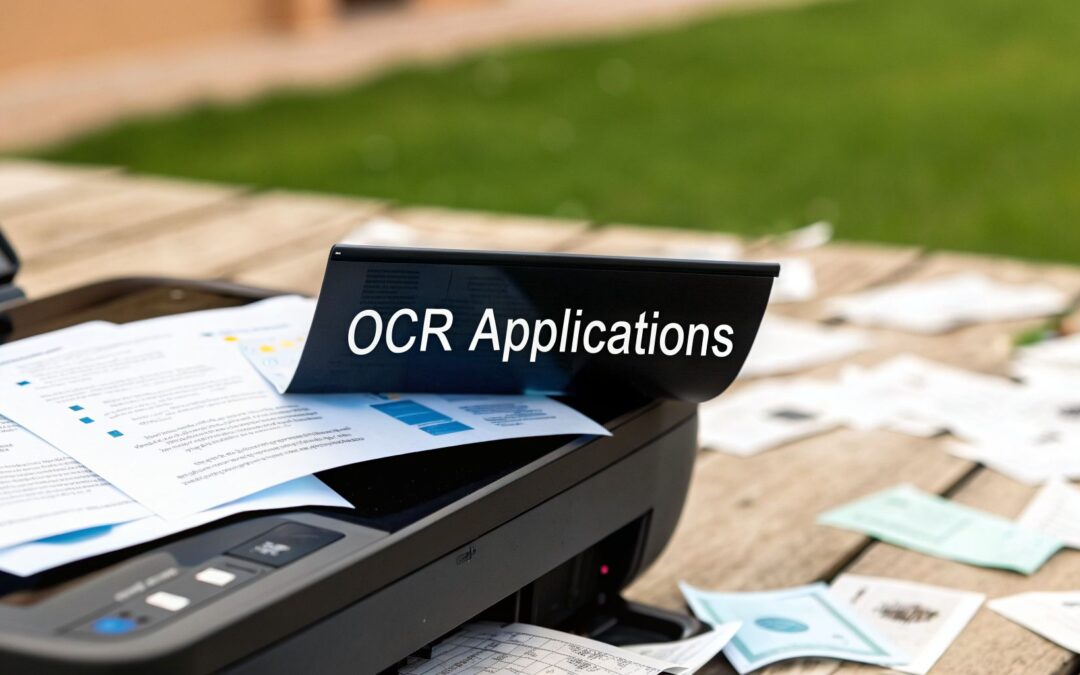
Think about the sheer volume of paper that flows through a typical business: invoices, receipts, contracts, patient forms, you name it. Each document contains critical information, but it's essentially trapped on the page, waiting for someone to manually type it into a digital system. Optical Character Recognition (OCR) is the key that unlocks that data.
Turning Piles of Paper into Actionable Data

At its heart, OCR technology is designed to bridge the gap between the physical and digital worlds. It takes a static image of a document and transforms it into live, editable text that a computer can understand and process. This tackles one of the most persistent bottlenecks in any organization: manual data entry. That process isn't just slow and tedious; it's notoriously prone to human error, which can lead to costly mistakes down the line.
The main job of OCR is to take over that manual work entirely. It’s a lot like how your phone’s camera can scan a business card to create a new contact, but applied to complex business documents. The software scans the document, identifies all the characters, and converts them into structured, usable data.
From Manual Tedium to Automated Efficiency
Let’s get practical. Imagine an accounts payable clerk faced with a stack of 100 new invoices. Manually, that’s hours of painstaking work, reading each one and keying the information into the accounting software. With an OCR-powered system, that entire stack can be scanned and processed in a matter of minutes.
The software is trained to instantly find and pull out key details like:
- Invoice numbers and dates
- Vendor names and addresses
- Specific line items and their costs
- Tax amounts and totals due
This isn't just about saving time, though. It’s about reallocating your team’s brainpower. When you free people from monotonous data entry, they can shift their focus to higher-value work, like analyzing spending patterns or nurturing vendor relationships. To really appreciate this shift, it's worth understanding how OCR turns documents into data by recognizing text within an image file.
Unlocking the Value in Your Documents
The real magic happens when you apply this to your archives. Think about all those old, scanned legal contracts or customer letters sitting in digital folders as static PDF or image files. They’re essentially unsearchable. Need to find every agreement signed with a specific client before 2022? Without OCR, someone has to open and read each file. With it, you just perform a simple text search and get your results in seconds.
By converting paper archives and static image files into digital formats, businesses create a centralized, searchable, and secure knowledge base. This dramatically speeds up operations while also making it easier to meet compliance and data governance standards.
This process is a cornerstone of modernizing any business. Organizations across every industry are discovering powerful applications of OCR to streamline their workflows and uncover insights that were previously buried in paperwork. Preparing documents for this kind of processing is a critical first step, often handled by expert data collection services. Ultimately, the ability to digitize and analyze information at scale is what turns a room full of filing cabinets into a genuine competitive advantage.
How OCR Is Transforming the Finance Industry

If you've ever worked in banking, financial services, or insurance (BFSI), you know the entire industry runs on paper. The sheer volume of documents—loan applications, ID verifications, insurance claims, invoices—creates a massive operational drag. This is exactly where applications of OCR are stepping in, turning slow, error-prone manual work into fast, automated workflows.
For these institutions, the payoff goes far beyond just saving time. It’s about boosting accuracy, fortifying security, and navigating a maze of strict regulations. Think of OCR as a tireless digital clerk, working 24/7 to process information with a level of precision that’s almost impossible for a human team to sustain.
This isn't just a minor efficiency tweak; it's a fundamental shift. The finance sector's investment in OCR is projected to grow by an incredible $5,735 million between 2025 and 2030. By 2024, the industry already made up over 21.3% of the entire OCR market, with invoice processing alone accounting for 32.4% of all uses. The numbers clearly show that OCR has become central to modern finance, as detailed in recent market trends reports on optical character recognition systems.
Accelerating Customer Onboarding with KYC Automation
One of the most immediate and powerful ways banks are using OCR is to automate the Know Your Customer (KYC) process. Traditionally, onboarding a new customer meant someone had to manually check passports, driver's licenses, and utility bills. The process could drag on for days, leading to frustrated customers and a high rate of abandoned applications.
With OCR, that entire ordeal is crunched down to minutes. A new customer just needs to snap a photo of their ID. The software then instantly reads and extracts the key details:
- Full Name and Date of Birth
- Document Number and Expiration Date
- Address and other personal details
This data is then automatically checked against internal and external databases to confirm the person’s identity and run any required background checks. It’s a game-changer. One major U.S. bank, for example, cut its KYC processing time by a staggering 70% after integrating an OCR-based system, all while maintaining near-perfect accuracy across millions of new accounts.
By digitizing identity verification, banks not only speed up onboarding but also create a more secure and auditable trail. This is crucial for complying with anti-money laundering (AML) and counter-terrorism financing (CTF) regulations.
This automation directly improves the customer experience. Instead of waiting around for days, a new user can get their account approved and start using financial products almost right away—a huge competitive edge in a crowded market.
Streamlining Invoice and Claims Processing
Beyond the front door, OCR is a workhorse for back-office operations. Accounts payable (AP) departments in financial firms are constantly buried under a flood of invoices. Manually typing invoice numbers, amounts, and due dates into the system isn't just slow; it’s a recipe for costly payment errors.
OCR-powered systems can scan invoices as they come in—whether on paper or as digital files—and automatically feed the correct data into the accounting software. This slashes processing costs, helps avoid late payment fees, and gives finance teams a real-time handle on cash flow.
The insurance world is seeing the same kinds of wins with claims processing. When a customer submits a claim, it usually comes with a mix of forms, photos, and repair estimates. OCR digitizes all of this unstructured information, letting adjusters get to the heart of the case much faster. The system can even flag inconsistencies or potential red flags instantly, which helps with fraud detection while getting legitimate claims paid out quicker.
Common OCR Use Cases in Insurance:
- New Policyholder Onboarding: Extracting data from application forms and supporting IDs.
- Claims Submission: Digitizing claim forms, medical reports, and receipts.
- Damage Assessment: Analyzing text within photos of vehicle or property damage.
- Fraud Detection: Cross-referencing details across multiple documents to spot discrepancies.
At the end of the day, these OCR applications free up skilled finance and insurance professionals from the grind of repetitive data entry. Instead, they can focus their energy on analysis, strategy, and actually talking to customers. The result is a more efficient, compliant, and responsive financial institution.
Improving Patient Care Through Smarter Data Capture

Healthcare runs on data. But what happens when that information is trapped on paper? For far too long, patient histories, lab results, and critical notes have been stuck in filing cabinets or sent via fax, creating huge bottlenecks that slow down care. The applications of OCR are finally changing that, acting as the key to unlock this information and improve everything from patient outcomes to back-office speed.
Imagine a patient's medical history as a sprawling story, written across dozens of different documents over many years. In the past, this story was entirely on paper, scattered across different clinics and hospitals. Trying to find one crucial detail—like an allergy noted a decade ago—meant a frantic, manual search that was often impossible during an emergency.
OCR completely rewrites this process. The technology gives healthcare providers a way to scan and convert mountains of paper records into fully searchable Electronic Health Records (EHRs). This gives them a patient's complete story at their fingertips, leading to faster, more confident decisions.
Digitizing Medical Records and Prescriptions
One of the most powerful uses of OCR is its ability to turn handwritten notes, prescriptions, and lab reports into clean, standardized digital text. Everyone knows that messy handwriting on a prescription can lead to dangerous errors. An OCR system, however, can be trained to read even challenging handwriting with incredible accuracy, nearly eliminating the risk of misinterpretation.
This has a direct and immediate impact on patient safety. When a pharmacist scans a prescription, an OCR tool can instantly read the drug and dosage, then automatically check it against the patient’s digital record to flag potential allergies or negative interactions. It’s an automated safety net that a manual process could never provide.
The same idea applies to lab results. Instead of having someone type the numbers in by hand, OCR can extract the data the moment a report is scanned. This gets critical information to doctors much faster, helping them make a diagnosis and start treatment sooner. This field is pushing even further with healthcare natural language processing, which helps systems understand the meaning and context behind the extracted text.
Automating Medical Billing and Claims
Beyond the examination room, OCR is making a huge difference in the administrative side of healthcare. Medical billing is a notoriously slow and complicated process, bogged down by standardized forms like the CMS-1500 and UB-04. Processing these by hand eats up countless hours and is a major source of errors that cause claim denials and payment delays.
By automating data extraction from claims forms, healthcare providers can drastically cut down their billing cycles, reduce administrative costs, and lower claim denial rates. This ensures a healthier revenue cycle and allows staff to focus on resolving complex cases rather than manual data entry.
An OCR system can read these forms in a split second, pulling out key information like:
- Patient demographic details
- Diagnosis and procedure codes (ICD-10, CPT)
- Dates of service
- Provider information and total charges
The financial impact here is massive. The healthcare industry is adopting OCR at a rapid pace, with over 1 billion medical documents now being digitized in the U.S. each year, often with 98-99% page-level accuracy. A 2024 study even found that hospitals using OCR were able to shorten their billing cycles by 60% and slash claim denials by 30%. Some health systems are now processing 500,000 claims per month with error rates under 1%. You can see just how much this is taking off by exploring more data on the explosive growth of the OCR market.
By turning piles of unstructured documents into structured, usable data, OCR is more than just an efficiency tool. It's a fundamental piece of the puzzle in building a safer, faster, and more connected healthcare system, ensuring information is always available right when it's needed most—at the point of care.
Streamlining Retail and Enterprise Operations
While the finance and healthcare industries often get the spotlight for their high-stakes automation, some of the most practical applications of OCR are happening behind the scenes in retail stores and corporate offices. Think of it as the quiet engine of efficiency, chipping away at the mountain of manual tasks that drain time and resources. From the stockroom to the HR department, OCR is what makes massive-scale operations run smoothly.
In the world of retail, knowing what you have and where you have it is everything. When inventory gets lost in the shuffle, you’re looking at lost sales and frustrated customers. This is where OCR steps in, turning a basic smartphone or scanner into a smart data-entry tool. A warehouse worker can just point their device at a box, instantly scanning SKUs, serial numbers, and batch codes to update inventory levels without typing a thing.
This immediate data capture also improves the customer experience. Take loyalty programs, for instance. Nobody enjoys typing in a long, complicated code from a crumpled receipt. OCR lets customers simply snap a photo of their receipt, and the system automatically pulls the purchase details to award them points. It's a small touch that makes the whole process feel effortless.
Automating Core Enterprise Functions
Walk into any large company, and you'll find departments like Human Resources (HR) and Legal buried in paperwork. OCR provides a straightforward way to digitize these document-heavy workflows, freeing up skilled employees to focus on work that requires real human insight.
The hiring process in HR is a classic example. A single job opening can easily bring in hundreds of resumes, and no two are formatted the same way.
- Resume Parsing: An OCR-powered system can read through every resume, regardless of layout, and pull out key information like contact details, work history, and skills.
- Faster Screening: With all that information neatly structured, recruiters can search and filter through candidates in minutes, not days, to find the best fits.
- Employee Onboarding: The same logic applies to digitizing new-hire paperwork. Contracts, I-9 forms, and policy documents are scanned and stored as clean digital records from day one.
This level of automation shifts talent management from a reactive, paper-shuffling game to a proactive, data-informed strategy.
From Mailrooms to Contract Management
The benefits ripple out into other essential corporate functions. The traditional company mailroom, for example, has always been a bottleneck, with staff manually sorting and delivering piles of physical mail each day. With OCR, incoming mail is scanned on arrival. The software then reads the recipient’s name and department, instantly forwarding a digital copy to the right person’s inbox.
This not only gets information where it needs to go faster but also creates a searchable digital archive of all correspondence, which is great for both security and compliance. The physical mailroom essentially becomes a digital information hub.
Legal departments see huge wins, too. Manually combing through thousands of pages of legal contracts to find one specific clause or date is a mind-numbing task. Once these documents are run through OCR, they become completely searchable. A lawyer can instantly find every mention of a particular term across a whole portfolio of agreements, dramatically speeding up contract analysis and risk assessment.
By taking on these repetitive, rules-based tasks in retail and enterprise, OCR does more than just save money. It unlocks human potential. It lets your people apply their expertise to complex problem-solving, customer engagement, and strategic planning—the kind of work that actually moves a business forward.
A Practical Guide to Implementing OCR
Getting an OCR system up and running is about more than just plugging in a piece of software. It’s about building a smart, resilient pipeline that turns messy document images into clean, structured data you can actually trust. Let's walk through the essential steps to make sure your OCR project is a success from the ground up.
The whole process starts with the quality of the image you feed the machine. Think of it like trying to read a blurry, coffee-stained note—if a human would struggle, an OCR engine will definitely struggle. That’s why image preprocessing isn't just a suggestion; it’s a non-negotiable first step.
Start With High-Quality Image Preprocessing
Before a single character can be recognized, the document image has to be as clean and legible as possible. This isn't just a nice-to-have, it’s the foundation for getting high accuracy. A few key techniques are absolutely critical here:
- Noise Reduction: This cleans up the random "salt and pepper" specks you often see on scanned or faxed documents, which can confuse the OCR engine.
- Binarization: This technique converts a grayscale image into a crisp black-and-white one. The goal is to make the text stand out sharply from the background.
- Skew Correction: Documents are rarely scanned perfectly straight. This step digitally rotates the image to ensure the lines of text are perfectly horizontal, which is how OCR models expect to see them.
Taking the time to do this right dramatically boosts your chances of success and prevents a cascade of errors down the line.
Choosing the Right OCR Model
With a clean image ready, the next big question is which engine will do the actual reading. Your choice typically boils down to two main paths, each with its own trade-offs.
You can go with Off-the-Shelf APIs from major tech providers. These are fantastic for standard documents where the format is predictable—think receipts, passports, or basic invoices. They’re fast to set up and very cost-effective for common use cases.
On the other hand, you might need Custom-Trained Models. This is the way to go when you’re dealing with unique or complex documents. Maybe you have industry-specific forms with weird layouts, a mix of printed text and handwriting, or consistently low-quality images. Training a custom model takes more work upfront, but the payoff is significantly higher accuracy for your specific needs.
For most businesses, a hybrid approach works best. Start with a general-purpose API for the easy stuff and only invest in a custom model for the high-value, specialized documents that the standard tools just can't handle.
This strategy ensures you get the best bang for your buck without over-engineering the simple tasks.
The Critical Role of Human-in-the-Loop Validation
Here’s the reality: no OCR model is perfect. Even the best ones will occasionally get tripped up by a weird character or a confusing layout. This is where human-in-the-loop (HITL) validation becomes your most valuable safety net.
The flowchart below shows how OCR fits into the bigger picture of enterprise automation, with data validation acting as a crucial quality-control checkpoint.

As you can see, OCR is often the first step in a longer journey, digitizing documents from departments like the mailroom or HR before that data gets pushed into other systems.
HITL is simply a process where a person reviews and corrects the OCR output, especially for any text the model flagged as low-confidence. This does two powerful things:
- Guarantees Accuracy: It ensures the data entering your systems is 100% correct, which is absolutely vital for critical functions in finance or healthcare.
- Improves the Model: Every correction a human makes can be fed back into the system as new training data. This creates a continuous learning loop that makes the model smarter and more accurate over time.
Finally, you can’t improve what you don’t measure. The gold standard for measuring performance is the Character Error Rate (CER), which tells you what percentage of characters were transcribed incorrectly. By tracking your CER, you can benchmark different models, see the real-world impact of your preprocessing steps, and prove the ROI of your entire OCR setup. If this is a priority, you might find our guide on achieving end-to-end business process automation helpful.
The Future of OCR is Intelligent Document Processing
Getting text off a page is a great first step, but it's just that—a first step. Traditional OCR is a workhorse for converting images into raw text, but it has no idea what that text actually means. The real magic happens when a system can not only read the words but also understand them in context.
This is where the technology is heading. We're moving beyond simple text recognition and into the realm of Intelligent Document Processing (IDP), a smarter approach that combines OCR with other AI to make sense of complex documents automatically.
Moving Beyond Text to Context
Think of it this way: standard OCR is like a fast typist who can transcribe a document perfectly but has zero comprehension. An IDP system, on the other hand, is like a seasoned paralegal or accountant. It doesn't just see the words; it understands their role and significance.
This is possible because IDP layers other technologies, like Natural Language Processing (NLP) and machine learning, on top of a basic OCR engine.
For instance, when an IDP system scans a messy, unfamiliar invoice, it can correctly identify that "$247.50" is the total amount due and that "11/25/2026" is the payment deadline. It figures this out from contextual clues, not because it was trained on a rigid template. This flexibility is what makes it so powerful for handling the chaos of real-world paperwork.
IDP closes the gap between simply having digital words and actually having useful information. It’s the shift from raw text to genuine, context-aware automation, which is where the real business value kicks in.
This ability to pull meaning from unstructured documents is the foundation for a much smarter generation of automation.
The Power of Integrated AI Workflows
The true potential of IDP shines when you plug it into your existing business software. By connecting it with Robotic Process Automation (RPA) tools, you can build a workflow that runs almost entirely on its own.
Here’s what that looks like in practice:
- Ingestion: An RPA bot constantly watches an inbox for new invoices from vendors.
- Extraction & Understanding: As soon as an invoice PDF lands, it's fed to the IDP engine. The system reads it, understands what it is, and pulls out the key data—vendor name, amount, due date, line items, etc.
- Action: The RPA bot takes this clean, structured data and enters it directly into your accounting platform, flags it for manager approval, and even archives the original document.
The only time a person needs to get involved is for the final sign-off. This turns OCR from a simple data entry assistant into the engine of a fully integrated, intelligent automation strategy. As companies plan for 2026 and beyond, this is where the biggest wins in efficiency and operational insight are waiting.
Common Questions About OCR Applications
As teams start digging into OCR, a few questions almost always come up. If you're wondering about the practical side of this technology, you're in the right place. Let's get you some direct answers.
How Accurate Is Modern OCR Technology?
This is the big one. Modern, AI-powered OCR systems can be incredibly accurate, often reaching 98-99% on clear, well-formatted printed documents. It’s a game-changer for processing clean paperwork.
When it comes to handwriting, things get a bit trickier. However, specialized models trained on handwritten samples can still consistently hit accuracy rates above 95%.
The real-world answer, though, is that accuracy always comes down to image quality. A blurry scan, a skewed photo, or a low-resolution image will tank your results every time. It's the classic "garbage in, garbage out" problem. This is exactly why many companies implement a human-in-the-loop (HITL) workflow to have a person quickly review and fix any questionable outputs.
Can OCR Handle Documents in Multiple Languages?
Absolutely. Most of the leading OCR platforms are designed from the ground up to be multilingual.
But there’s a catch. You can't just point a generic model at a stack of documents from around the world and expect great results. High accuracy depends on the model being trained on data that includes each specific language you need.
For a global business handling invoices from Japan, contracts from Germany, and customer surveys from Brazil, you need a system that's been tuned for those alphabets, character sets, and layouts.
The key takeaway is that OCR can recognize text, while IDP can understand it. OCR provides the raw material (digital text), and IDP adds the intelligence to classify, interpret, and act on that text without needing rigid templates.
What Is the Difference Between OCR and IDP?
This is a crucial distinction. Think of Optical Character Recognition (OCR) as the foundational first step. Its entire job is to look at an image and convert the characters it sees into digital text. It’s the "reading" part of the equation.
Intelligent Document Processing (IDP) is what happens next. It takes the text from OCR and uses AI to figure out what it all means. An IDP system doesn't just see the characters "$500"; it understands that this is the "Total Due" on an invoice. It doesn't just read "12/31/2026"; it identifies it as the "Payment Deadline."
Basically, IDP adds a layer of contextual understanding, turning raw data into structured, usable information without needing someone to manually create a template for every document type.
Ready to power your OCR and AI workflows with a skilled team? Zilo AI provides expert manpower for text annotation, transcription, and translation, ensuring you get the high-quality data needed to build accurate and effective systems. Learn more about our services.